Tutorial 6: Robot Models — resolve_urdf & Model Catalog
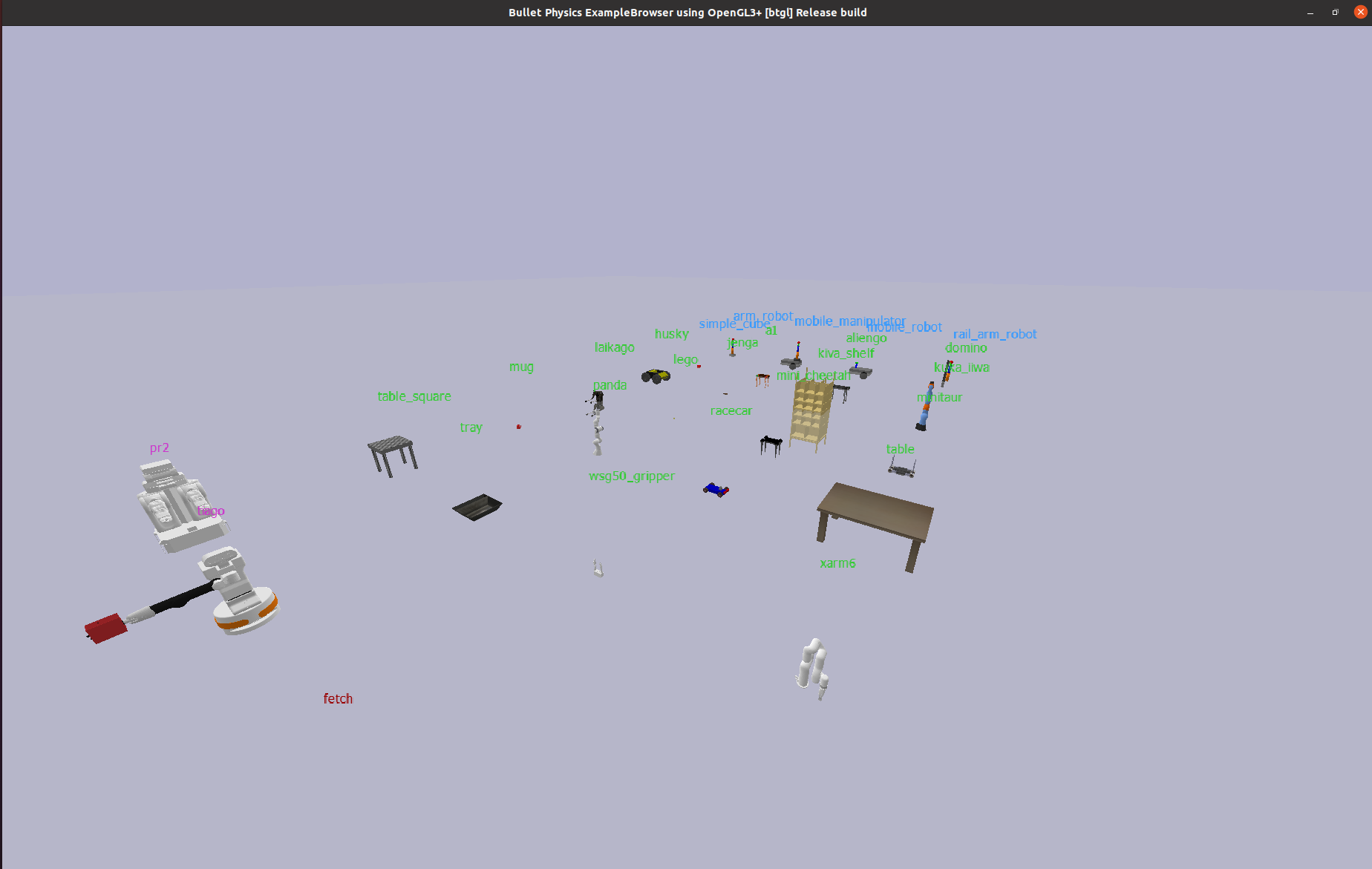
Source files: examples/models/
This tutorial shows how to load robots by name instead of by file path, browse the model catalog, and inspect robot capabilities automatically.
What you’ll learn:
Resolving a model name to a URDF path with
resolve_urdf()How
Agent.from_urdf()accepts model names directlyAuto-detecting robot type, joints, and EE with
auto_detect_profile()Listing all available models with
list_all_models()Using third-party models from
pybullet_dataandrobot_descriptions
No prerequisites — this tutorial is self-contained and can be read at any point.
1. Loading Robots by Name
Traditionally you pass a file path to Agent.from_urdf():
agent = Agent.from_urdf(
    urdf_path="robots/arm_robot.urdf",
    pose=Pose.from_xyz(0, 0, 0),
    sim_core=sim,
)
With model name resolution, you can simply pass a name:
agent = Agent.from_urdf(
    urdf_path="panda",       # resolved automatically
    pose=Pose.from_xyz(0, 0, 0),
    use_fixed_base=True,
    sim_core=sim,
)
Agent.from_urdf() calls resolve_urdf() internally. The name "panda" is
looked up in the KNOWN_MODELS registry and resolved to the absolute URDF path
from pybullet_data.
2. How resolve_urdf() Works
resolve_urdf() searches through tiers in priority order:
Tier |
Source |
Example names |
|---|---|---|
0 — |
|
|
1 — |
PyBullet’s bundled data directory |
|
2 — |
ROS install paths ( |
|
3 — |
|
|
KNOWN_MODELS is a curated subset of each tier. However, models not in
the registry are still resolved automatically — resolve_urdf() falls back to
scanning installed packages:
User search paths (
add_search_path())KNOWN_MODELSregistry (curated)Auto-discovery: scans
pybullet_datadirectory by filename stemAuto-discovery: scans
robot_descriptionsmodules withURDF_PATHFileNotFoundError
# Works even though "r2d2" is not in KNOWN_MODELS —
# auto-discovered from pybullet_data
resolve_urdf("r2d2")

# Works if robot_descriptions is installed —
# auto-discovered from anymal_b_description module
resolve_urdf("anymal_b")
Tip
Auto-discovery scans lazily and caches results. The pybullet_data scan is
fast (cached after first miss). The robot_descriptions scan is slower
because it imports each module (which may trigger a git clone on first access).
Direct paths pass through unchanged. Any string containing / or ending in
.urdf / .sdf is returned as-is without tier lookup.
from pybullet_fleet.robot_models import resolve_urdf

# Tier 0 — local robots/ dir
resolve_urdf("arm_robot")
# → /path/to/PyBulletFleet/robots/arm_robot.urdf

# Tier 1 — pybullet_data
resolve_urdf("panda")
# → /path/to/pybullet_data/franka_panda/panda.urdf

# Direct path — pass through
resolve_urdf("robots/mobile_robot.urdf")
# → robots/mobile_robot.urdf
3. Listing All Models
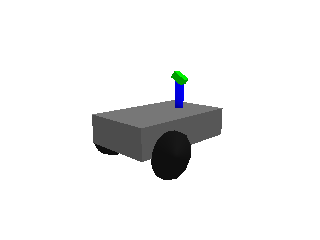
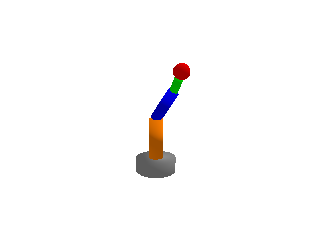
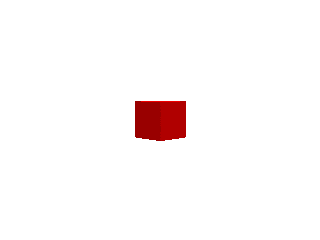
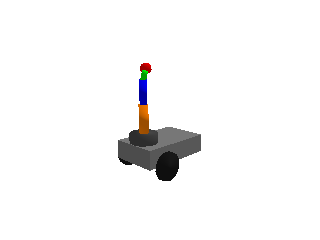
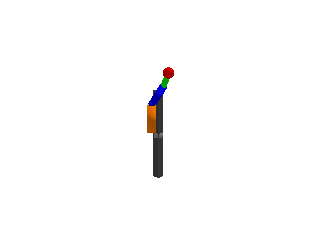
Local Models (project robots/ directory)
Model |
Preview |
|---|---|
mobile_robot |
|
arm_robot |
|
simple_cube |
|
mobile_manipulator |
|
rail_arm_robot |
|
Third-Party Models
Models from pybullet_data (always available), ROS packages, and
robot_descriptions are also registered. Use list_all_models() to check
availability.
Name |
Tier |
Category |
|---|---|---|
|
pybullet_data |
Arm |
|
pybullet_data |
Arm |
|
pybullet_data |
Arm |
|
pybullet_data |
Mobile |
|
pybullet_data |
Mobile |
|
pybullet_data |
Quadruped |
|
pybullet_data |
Quadruped |
|
pybullet_data |
Quadruped |
|
pybullet_data |
Quadruped |
|
pybullet_data |
Quadruped |
|
pybullet_data |
Gripper |
|
pybullet_data |
Object |
|
pybullet_data |
Object |
|
pybullet_data |
Object |
|
pybullet_data |
Object |
|
pybullet_data |
Object |
|
pybullet_data |
Object |
|
pybullet_data |
Object |
|
pybullet_data |
Object |
|
pybullet_data |
Object |
|
ros |
Arm |
|
ros |
Mobile |
|
ros |
Mobile |
|
ros |
Mobile Manipulator |
|
robot_descriptions |
Mobile Manipulator |
|
robot_descriptions |
Mobile Manipulator |
Tip
Generate preview images for all models locally with
python scripts/capture_model_catalog.py. Output goes to docs/media/models/.
Use list_all_models() to see every registered model with its tier and availability:
from pybullet_fleet.robot_models import list_all_models

models = list_all_models()
for name, info in models.items():
    available = "✓" if info["available"] else "✗"
    print(f"  {name:<20} {info['tier']:<20} {available}")
Or from the command line:
python examples/models/resolve_urdf_demo.py --list
4. Auto-Detecting Robot Capabilities
auto_detect_profile() inspects a loaded robot body and returns a RobotProfile
dataclass containing type classification, joint information, and end-effector detection:
from pybullet_fleet.robot_models import auto_detect_profile

# Pass a body_id (int) for already-loaded robots — most efficient
profile = auto_detect_profile(agent.body_id, sim.client)

print(profile.robot_type)          # "arm", "mobile", "mobile_manipulator", or "static"
print(profile.num_joints)          # total joint count
print(profile.movable_joint_names) # names of non-fixed joints
print(profile.ee_link_name)        # detected end-effector link
print(profile.joint_lower_limits)  # per-joint lower limits
print(profile.joint_upper_limits)  # per-joint upper limits
auto_detect_profile() also accepts a URDF path string — it will load the robot
temporarily, inspect it, and remove it. Prefer passing body_id (int) when the
robot is already spawned to avoid the load/remove overhead.
5. Using Third-Party Models
Registered models (in KNOWN_MODELS)
Models listed in KNOWN_MODELS can be loaded by name:
# Tier 1 — pybullet_data (always available)
agent = Agent.from_urdf(urdf_path="panda", pose=Pose.from_xyz(0, 0, 0),
                        use_fixed_base=True, sim_core=sim)

# Tier 2 — ROS (requires package installed)
agent = Agent.from_urdf(urdf_path="ur5e", pose=Pose.from_xyz(0, 0, 0),
                        use_fixed_base=True, sim_core=sim)

# Tier 3 — robot_descriptions (requires pip install)
agent = Agent.from_urdf(urdf_path="tiago", pose=Pose.from_xyz(0, 0, 0),
                        sim_core=sim)
Run resolve_urdf_demo.py --list or call list_all_models() to see
all registered names and their availability.
Auto-discovery of unlisted models
KNOWN_MODELS is a curated set, but models not in the registry are still
usable by name — resolve_urdf() automatically scans installed packages as a
fallback:
# "r2d2" is NOT in KNOWN_MODELS, but exists in pybullet_data
# → auto-discovered on first call, then cached
agent = Agent.from_urdf(urdf_path="r2d2", pose=Pose.from_xyz(0, 0, 0),
                        sim_core=sim)

# "anymal_b" is NOT in KNOWN_MODELS, but robot_descriptions has it
# (requires: pip install robot_descriptions)
agent = Agent.from_urdf(urdf_path="anymal_b", pose=Pose.from_xyz(0, 0, 0),
                        sim_core=sim)
Auto-discovery works by:
Scanning
pybullet_datadirectory for{name}.urdf/{name}.sdf(fast, cached)Scanning
robot_descriptionsfor{name}_descriptionmodule withURDF_PATH(slower, lazy-loads)
Use discover_models() to see all discoverable models from a tier:
from pybullet_fleet.robot_models import discover_models

# All ~1100 URDFs in pybullet_data
pb_models = discover_models("pybullet_data")
print(f"{len(pb_models)} models in pybullet_data")

# All ~87 URDF models in robot_descriptions
rd_models = discover_models("robot_descriptions")
print(f"{len(rd_models)} models in robot_descriptions")
When auto-discovery isn’t enough
For ROS packages or models whose filename doesn’t match the desired name,
you can use direct paths or register_model():
# Option A: Direct file path
import pybullet_data
path = f"{pybullet_data.getDataPath()}/kuka_iiwa/model_vr_limits.urdf"
agent = Agent.from_urdf(urdf_path=path, sim_core=sim)

# Option B: register_model() for reusable short names
from pybullet_fleet.robot_models import register_model, ModelEntry
register_model("kuka_vr", ModelEntry("kuka_iiwa/model_vr_limits.urdf", "pybullet_data"))
agent = Agent.from_urdf(urdf_path="kuka_vr", sim_core=sim)

# Option C: ROS package → find via ament_index
from ament_index_python.packages import get_package_share_directory
path = f"{get_package_share_directory('my_robot_description')}/urdf/my_robot.urdf"
agent = Agent.from_urdf(urdf_path=path, sim_core=sim)
Installing robot_descriptions
The robot_descriptions package provides 80+ robot URDFs:
pip install pybullet-fleet[models]
# or: pip install robot_descriptions
If the package is not installed, resolve_urdf() raises FileNotFoundError with
an install hint.
6. Runnable Demos
Script |
What it demonstrates |
|---|---|
Three URDF resolution patterns: by name, by direct path, and listing all models |
|
Visual grid catalog of all registered models from |
|
Using Tier 3 models from the |
# Try it:
python examples/models/resolve_urdf_demo.py --robot panda
python examples/models/resolve_urdf_demo.py --list
python examples/models/model_catalog_demo.py
The --robot Argument
Most example scripts across the project accept a --robot argument to swap the
robot model at runtime. The value is passed to resolve_urdf(), so you can use
a registered model name or a direct URDF path — as long as the model is compatible
with the demo (e.g., arm models for arm demos, mobile models for mobile demos):
# Arm demos — pass arm models (default: panda)
python examples/arm/pick_drop_arm_demo.py --robot kuka_iiwa

# Mobile demos — pass mobile models (default: husky)
python examples/mobile/path_following_demo.py --robot racecar

# Scale demos
python examples/scale/100robots_cube_patrol_demo.py --robot mobile_robot
python examples/scale/pick_drop_arm_100robots_demo.py --robot kuka_iiwa

# Grid demo has both --robot (mobile) and --arm-robot (arm)
python examples/scale/100robots_grid_demo.py --robot racecar --arm-robot kuka_iiwa

# Model demos — accepts any registered model
python examples/models/robot_descriptions_demo.py --robot pr2
Category |
Argument |
Default |
Alternatives |
|---|---|---|---|
Arm demos ( |
|
|
|
Mobile demos ( |
|
|
|
Scale demos — mobile |
|
|
|
Scale demos — arm |
|
|
|
|
|
|
|
|
|
|
|
|
|
|
any registered model |
|
|
|
any |
7. Custom Search Paths
If your team maintains URDF files in a shared directory (e.g., /opt/company_robots/),
you can register it as a search path so resolve_urdf() finds them by name:
from pybullet_fleet.robot_models import add_search_path, resolve_urdf

add_search_path("/opt/company_robots")

# Now resolves to /opt/company_robots/my_agv.urdf
agent = Agent.from_urdf(urdf_path="my_agv", sim_core=sim)
Priority: User search paths are checked before the built-in KNOWN_MODELS
registry, so you can shadow a built-in model with a custom version if needed.
Resolution order for name-based lookup:
User search paths (FIFO order) — looks for
{name}.urdfor{name}.sdfKNOWN_MODELSregistry (Tier 0 → 3)Auto-discovery:
pybullet_datafile scan (cached)Auto-discovery:
robot_descriptionsmodule scanFileNotFoundError
API
Function |
Description |
|---|---|
|
Register a directory. Raises |
|
Unregister a directory. No-op if not registered. |
|
Return the current list of user search paths (copy). |
|
Add a model to |
|
Remove a model from |
|
Scan an entire tier ( |